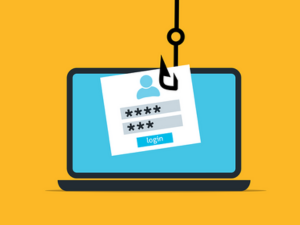
 Are your passwords strong enough to keep cyber threats at bay? Password security strength doesn't have to be complex—but avoiding common mistakes is critical for protecting your business from online threats.
Just make sure that you aren't falling into these common password pitfalls:
Common Pasword Mistakes That Put Your Business at Risk
- Using Weak Passwords
Avoid using easily guessable passwords. For example, if your password is "123456" or "password," you're opening your business wide open to cyberattacks. According to recent studies, 81% of data breaches involve weak or stolen passwords.Instead, use a strong, unique password with a mix of upper and lowercase letters, numbers, and symbols. Minimum password length should be at least 12 characters, ideally 16 or more for sensitive business accounts. - Reusing Passwords Across Accounts
Reusing the same password for many accounts increases the risk of a security breach. One compromised account could lead to a domino effect of unauthorized access. Make sure each account has a different password.Learn more about strengthening your overall data security strategy beyond just passwords. - Not Changing Passwords Regularly
Old passwords are more susceptible to hacking attempts. It is essential to update your passwords regularly to lower the risk of unauthorized access. Aim to change your passwords at least once every three months.More importantly, immediately change passwords after any security incident, employee departure, or vendor access termination.
Best Practices for Password Security Strength
The most secure businesses have sound password security policies and practices. You can be one of them by implementing these essential strategies:
1. Use Multi-Factor Authentication (MFA)
Multi-factor authentication requires a user to provide a second form of verification beyond just a password. This added protection comes as a text message code or fingerprint.
MFA reduces breach risk according to Microsoft's security research. Encourage your employees to use two-factor authentication for all accounts when possible.
2. Use a Password Manager
A password manager can help you generate and manage passwords for your accounts. This tool enables you to use complex passwords without the hassle of remembering them.
Password managers improve password security strength by eliminating the temptation to reuse simple passwords across multiple accounts, or write them down where they may be accesible to others.
3. Implement Minimum Password Length Requirements
Require all business accounts to use passwords of at least 12 characters. Longer passwords exponentially increase password security strength and make brute-force attacks significantly more difficult.
4. Educate Your Employees
Make sure your employees understand the importance of password security. Provide them with guidelines to create and maintain strong passwords. Regular cybersecurity training helps employees recognize phishing attempts that steal passwords and understand why password security matters to your business.
5. Monitor and Audit Password Policies
Regularly review your business's password policies and compliance. Ensure employees are following best practices and update policies as new threats emerge.
Need comprehensive security guidance? Our cybersecurity 101 guide covers password protection and other essential defenses.
Why Password Security Matters to Business Owners
Password security strength directly impacts your company's safety and reputation. Cyberattacks can result in financial losses amounting to thousands or even millions. It can also damage your credibility in the eyes of clients and partners.
Strong password security policies protect your business's data and maintain customer trust. In short, robust passwords serve as a critical barrier against cyber criminals who are constantly looking for weak entry points into growing business networks.
According to recent studies, 81% of data breaches involve weak or stolen passwords. When your business strengthens password security, you're not just protecting data—you're protecting your revenue, reputation, and long-term viability.
Take Action: Protect Your Business Today
Common password mistakes put your business at risk. You can reinforce your business's security by implementing better password practices. If your team follows these guidelines, you will protect your company's data and reputation.
Strive to improve security continuously — it's an investment in your long-term success.
Explore Our Cybersecurity Services →
Other Frequently Asked Questions:
What makes a password strong?
A strong password contains at least 12 characters with a mix of uppercase letters, lowercase letters, numbers, and special symbols. Avoid dictionary words, personal information, and common patterns.
How often should businesses change passwords?
Businesses should change passwords at least every 90 days, or immediately if a breach is suspected. Critical accounts should be updated more frequently.
How exposed is your network?
Most SMBs don't know where their security gaps are until it's too late. Take our free 10-minute IT Risk Assessment and find out exactly where you stand.